





Whatnot: Shop, Sell, Connect review
 Analysis by GetAllApps
The first thing I’d tell a friend about Whatnot is that it feels less like browsing a conventional shopping catalog and more like walking into a busy market where sellers are presenting items live. That makes the app appealing when you want to discover collectibles or see an item discussed in real time, but it also changes how you shop: attention and timing matter more than they do when comparing static product pages. I’d use it for the experience as much as for the purchase, and I’d go in with a clear idea of what I’m looking for.
Why the live format can feel confusing at first
Whatnot: Shop, Sell, Connect is a free shopping app from Whatnot Inc., built around live selling and community interaction. The format is its defining strength, but it can be a source of friction if you expect the calm, predictable flow of a standard online store. A live presentation moves along while you watch, and the item you’re interested in may not wait while you make up your mind.
That pace is exciting when a seller is showing details that are hard to judge from a still photo. You can follow the presentation, hear an explanation, and get a better feel for an item’s condition or character. The trade-off is that a livestream asks for more attention than a search results page. If you open the app intending to make a quick, carefully researched purchase, the live format may feel distracting rather than helpful.
My practical advice is to separate browsing from buying. When I’m only exploring, I treat a live show as a way to learn what sellers are offering, not as a reason to bid or buy immediately. When I have a specific item in mind, I decide what details matter before joining: condition, completeness, size, or any other factor relevant to that purchase. That simple preparation helps keep a lively presentation from becoming a rushed decision.
The app has a 4.7 average from around 329,000 ratings, and it has been installed over 10 million times. Those figures suggest a sizeable audience, but they don’t answer the more personal question: will you enjoy shopping this way? I think it suits people who like watching a knowledgeable seller present an item and who are comfortable making decisions in a social, time-sensitive setting. If you prefer to compare several listings quietly, a conventional marketplace may be a better fit.
Start with a specific shopping goal
New users can make the app easier to understand by choosing one category of interest rather than trying to explore everything at once. A focused session gives you a better sense of whether the live format is useful for the things you actually want to buy. It also makes it easier to notice which details sellers consistently show and which questions you still need answered before committing.
A useful habit is to write down your must-haves before watching. For a collectible, that might mean deciding whether packaging or visible wear matters to you. For another item, it could be a particular version or a complete set. This is not a special app feature; it’s a way to shop more deliberately when the presentation is moving quickly. If a seller’s demonstration doesn’t cover a detail that matters, don’t let the pace pressure you into assuming it’s fine.
Setup checks that prevent avoidable friction
Before spending time in a live show, I’d make sure the app is installed from the relevant app store and that I can sign in and navigate comfortably. A stable connection matters for any live video experience, so if a stream appears choppy or falls behind, I’d first check whether other video or internet activity is struggling too. Closing and reopening the app can also be a sensible first step when something appears stuck, without assuming that the seller or the app itself is at fault.
It’s worth checking your account and purchase details before you get caught up in a presentation. Make sure the information you use for shopping is current and that you understand what you’re about to confirm before completing a transaction. This is especially useful if you’re watching casually: a quick check before a buying session is less stressful than trying to sort out account details while a show is moving along.
Whatnot is rated Mature 17+, so it is not an app I’d recommend treating as a general family shopping space for younger children. Adults should also think about how they want to use live shopping. If you tend to make impulse purchases when something is presented enthusiastically or under time pressure, set your own budget before opening a show and stick to it. The app’s energy is part of its appeal, but it can make a purchase feel more urgent than a normal product page does.
How I’d recover when a session goes off track
If a live show stops behaving as expected, I’d work through the basics in order rather than repeatedly tapping controls. First, check whether the connection is steady; then leave and reopen the session if the display remains frozen or out of sync. If the problem affects other apps too, the network or device is a more likely place to investigate. If it happens only in Whatnot, restarting the app and checking for an available update are reasonable next steps.
For a purchase that seems incomplete or unclear, I’d avoid trying to solve it by making the same purchase again. Revisit the account’s order or transaction information and check whether the original action appears there. If the account view doesn’t answer the question, use the app’s available support route and explain what happened, including the item and the point in the process where things became unclear. Keeping the description factual is more useful than guessing at the cause.
There’s also a simple recovery strategy for the live format itself: step out and return when you can give it your attention. If you joined halfway through a presentation, missed an important detail, or feel rushed, walking away is better than buying on incomplete information. A seller’s next item may be more relevant, or you may decide that this particular listing isn’t right for you. Leaving a show is not a failure; it’s a way to keep control of the decision.
When the problem may be outside the app
Not every frustrating shopping moment is a technical problem. A stream can be hard to follow because of a weak connection, background noise, or simply because you joined late. An item can also be a poor match even when the app is working normally: the presentation may not show the condition you care about, or the seller’s description may leave you uncertain. In those cases, I wouldn’t keep refreshing or assume that another screen will settle the question. I’d ask for clarification where possible or pass.
It helps to distinguish a platform issue from a buying decision. If the app won’t load or a control doesn’t respond, basic troubleshooting may help. If the information shown about an item doesn’t meet your standards, more troubleshooting won’t make the purchase safer. That distinction is especially important in live shopping, where the energy of a show can blur the line between “I’m having fun watching” and “I have enough information to buy.”
Likewise, if you’re using Whatnot mainly to find the cheapest possible version of a widely available product, compare it with ordinary shopping options before committing. Traditional marketplaces and retailer apps are often easier for side-by-side comparison, filtering, and taking your time. Whatnot’s advantage is the live presentation and the chance to discover items through a seller’s show; it is not automatically the most efficient route for every routine purchase.
Who gets the most from Whatnot?
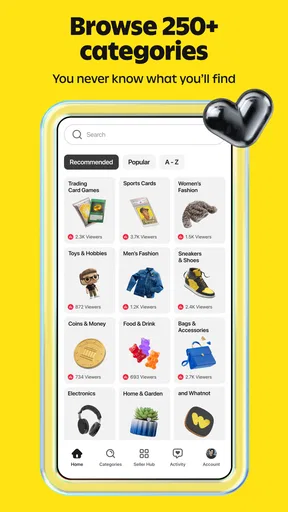
I think the app is strongest for people who enjoy collectibles, niche finds, and the social side of watching items being presented. It can turn browsing into an event: you can learn from a seller’s explanation, see an item in motion, and discover something you weren’t searching for. That kind of experience is a meaningful difference from scrolling through static listings, particularly when visual context helps you judge what you’re seeing.
A realistic use case is settling in after dinner to look for a particular collectible, watching a few relevant shows, and buying only when the presentation answers your questions. The useful workflow is to browse first, note what catches your eye, and make a purchase only after checking the details that matter to you. That approach preserves the spontaneity without letting every interesting item become an automatic purchase.
It’s less suitable if you dislike video, prefer quiet comparison shopping, or need every product detail laid out in a uniform format. It may also frustrate anyone who opens a shopping app only to complete a predictable household purchase quickly. For those needs, a standard retailer or marketplace can make the process clearer and more controlled. Whatnot is best treated as a distinct way to shop, not a replacement for every other shopping app.
Some users will also find the live environment tiring. A busy show can demand attention, and the social presentation may make shopping feel less private or deliberate than browsing a product page. If that’s not your style, there’s no need to force it. The app’s value depends heavily on whether live selling adds something you enjoy, rather than merely adding another step between you and an item.
My practical verdict
Whatnot is worth trying if the idea of shopping through live presentations sounds genuinely fun to you, especially if you’re searching for collectibles or items where seeing a seller demonstrate them adds context. I’d use it with a clear budget, a short list of must-check details, and the willingness to leave a show when I’m uncertain. Those habits make the experience more useful and help keep its fast pace from deciding for you.
The main trade-off is discovery versus control. Whatnot can make browsing feel lively and personal, but it asks you to pay attention and judge information as it arrives. A regular marketplace is better when you want a slower, standardized comparison; Whatnot is more compelling when the presentation itself is part of the appeal. It’s free to download, and the app has been available since December 6, 2019, but I’d still recommend judging it by a focused trial rather than by its popularity alone.
For me, that means opening a show with a purpose, watching long enough to understand the seller’s presentation, and buying only when the item and terms feel clear. If that sounds like an enjoyable way to shop, the app has a distinctive role. If you’d rather browse at your own pace and compare everything in one quiet sitting, you’ll probably be happier with a conventional shopping app instead.
Pros and cons
Pros
- Live auctions make browsing feel interactive.
- Buyers can ask sellers questions during streams.
- The app supports shopping across many collectible categories.
- Users can follow sellers and discover their future shows.
- Seller ratings help shoppers assess a seller's track record.
Cons
- Fast auctions can make it easy to bid impulsively.
- Product quality can vary from one seller to another.
- Shipping fees may increase the final purchase cost.
- The live format may take time to browse efficiently.
- Returns and refunds depend on the transaction and seller policies.


